
FCA PROXI Tool logo
FCA / JEEP / ALFA ROMEO

PROXI configuration editor for professional workshops.

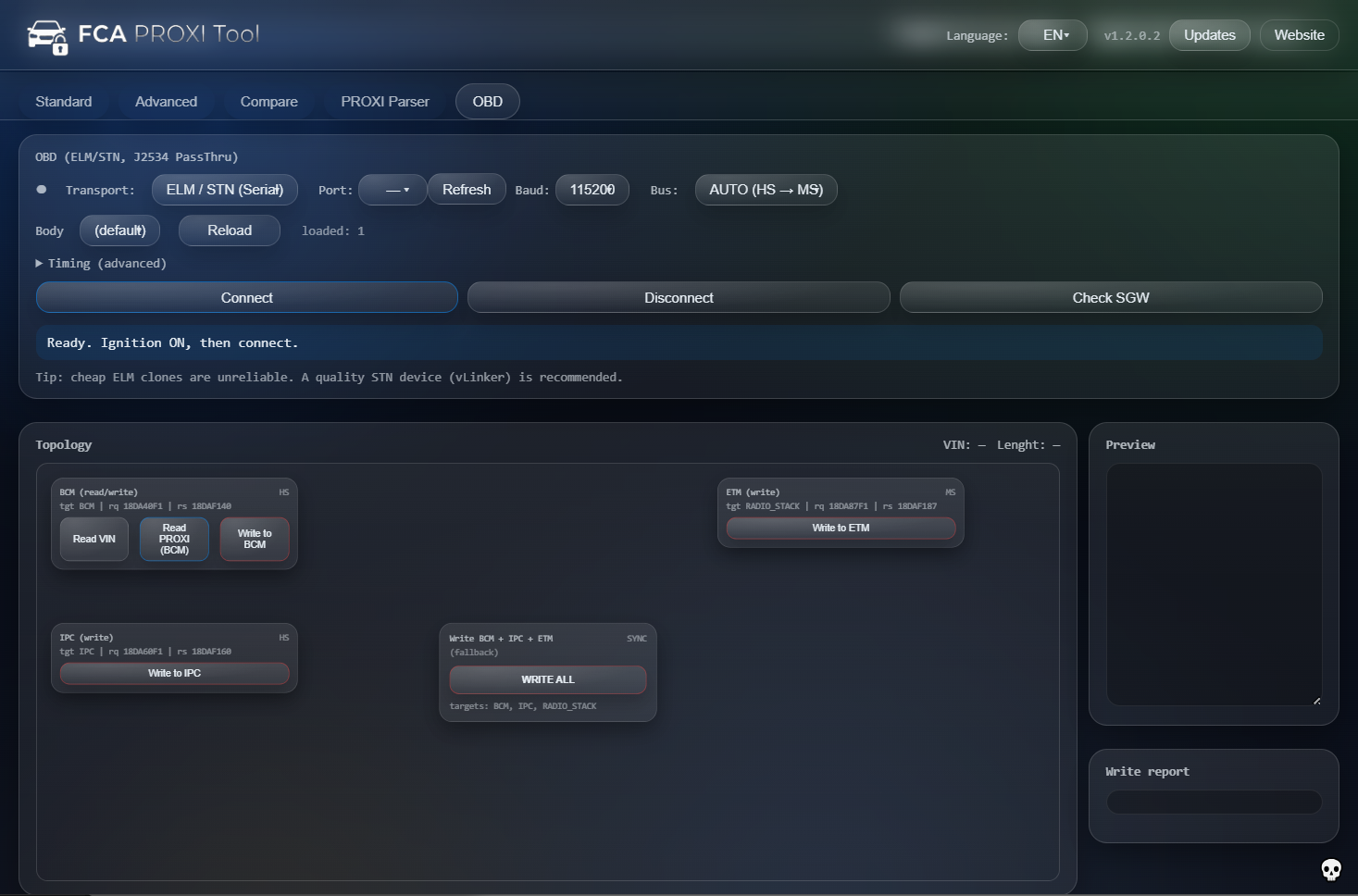
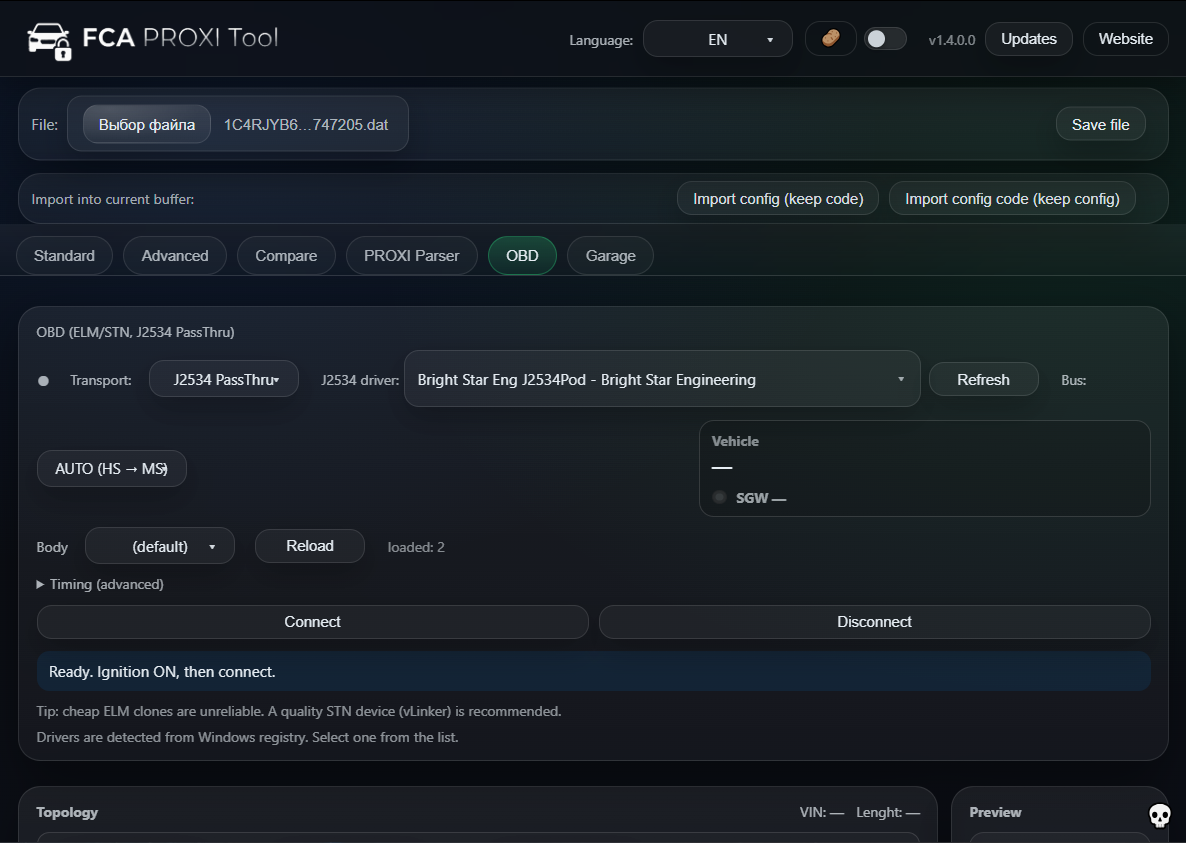
FCA PROXI Tool is a next-generation configuration editor designed for specialists who demand precision, stability and full control over FCA vehicle configuration. It delivers a clean, consistent configuration file ready to be written back to the vehicle. New: use Direct Connect to read/write supported configuration buffers directly via ELM327-compatible adapters or J2534 PassThru — without launching a separate diagnostic application.

Conversion solutions

Built for professional workshops, retrofitters and diagnostic experts who need predictable, repeatable results — not guesswork.

Latest build: Works with WL, KL and other PROXI-based FCA platforms Direct vehicle connection: ELM327 / J2534 (no extra software) No PROXI alignment required

Key advantages

FCA PROXI Tool focuses on one thing and does it properly: professional-grade handling of FCA PROXI configuration. No unnecessary features, no cloud dependencies, no “universal magic” — just predictable results and clean files.

Platforms

Designed for real FCA architectures

The tool supports FCA platforms that rely on PROXI configuration, including WL, KL and others. Florence architecture (Maserati M139, M145, Alfa Romeo 8C) is not supported, keeping the focus on platforms where the workflow is fully validated.

WL Grand Cherokee KL and related Other PROXI-based FCA
Consistency

No PROXI alignment required

FCA PROXI Tool generates a fully consistent configuration file that can be written directly with your diagnostic equipment. No separate PROXI alignment step is required once the file is prepared.

Clean configuration files Predictable results
Direct Connect

Work directly with the vehicle (ELM327 / J2534)

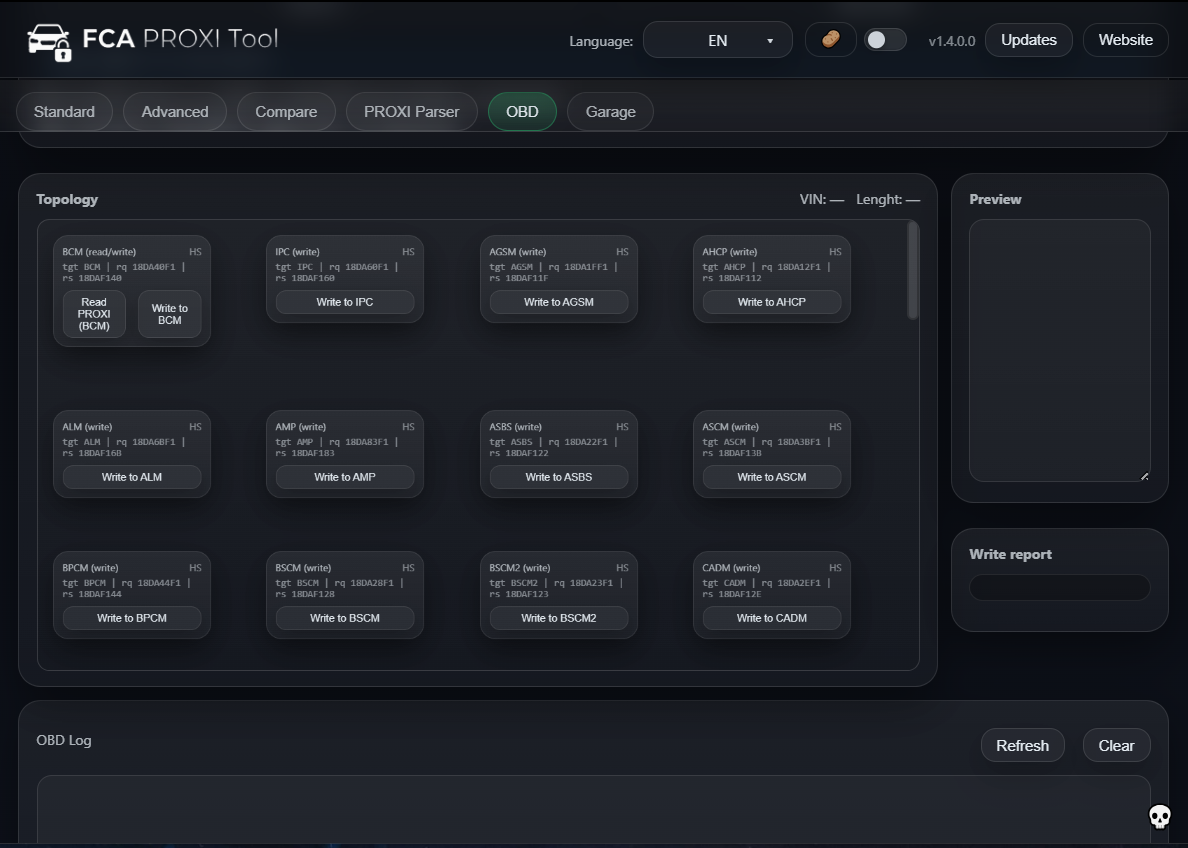
FCA PROXI Tool can now communicate with the vehicle for supported read/write operations from inside the app. Use an ELM327-compatible adapter for basic workflows, or J2534 PassThru for professional interfaces. No separate diagnostic software is required for these operations (your interface driver may still be needed).

ELM327 J2534 PassThru No extra software
Control

Three modes, one professional workflow

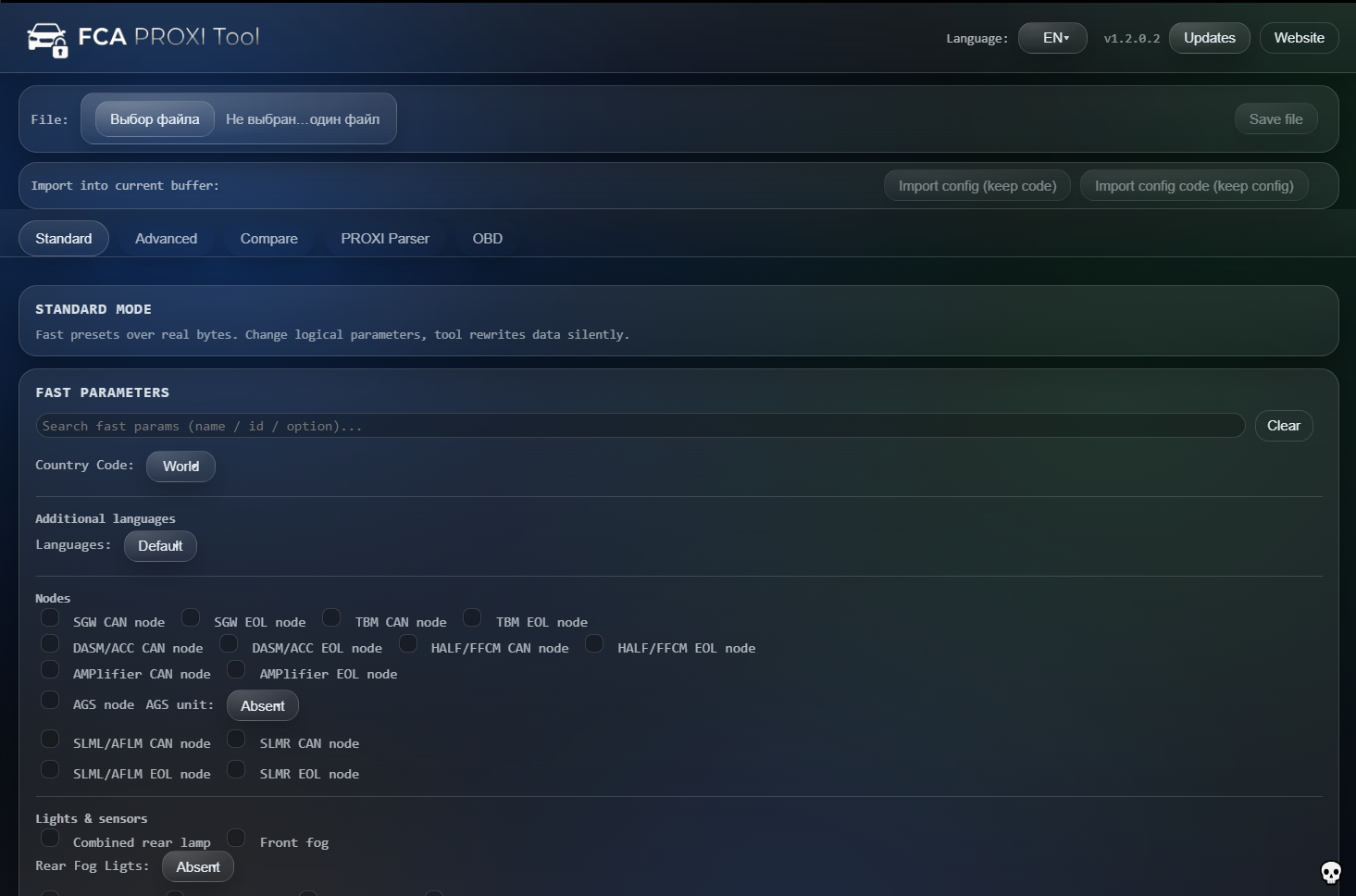
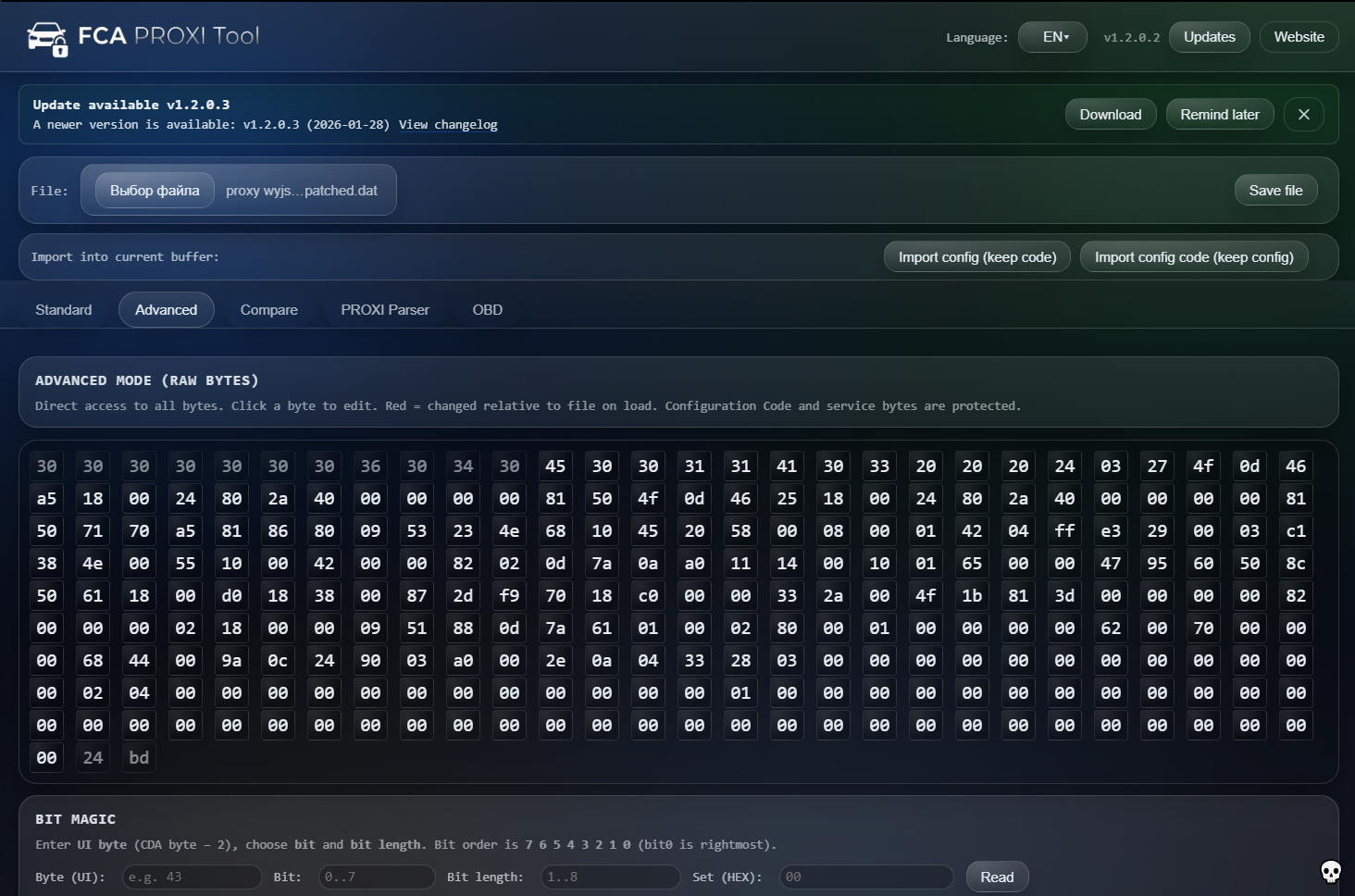
Standard Mode provides fast, human-friendly parameter editing. Advanced Mode gives granular control for experienced specialists. Compare Mode makes it easy to analyze differences between configurations during retrofits, diagnostics and validation.

Standard Mode Advanced Mode Compare Mode
Security

Online activation & hardware-bound licensing

Licensing requires an internet connection for server access and online authorization. The license remains hardware-bound to your PC to protect your access and prevent sharing. Without an active connection, protected features and validation steps may be unavailable or blocked.

Online activation Hardware-bound Server authorization
Precision

CRC recalculation and advanced bit editing

CRC and critical checksum calculations are performed via a protected server (cloud) to ensure consistent, repeatable results across different PCs/adapters. Advanced tools include controlled bit-level editing for specialists who need exact changes.

Server-backed CRC Bit-level tools Repeatable results
Productivity

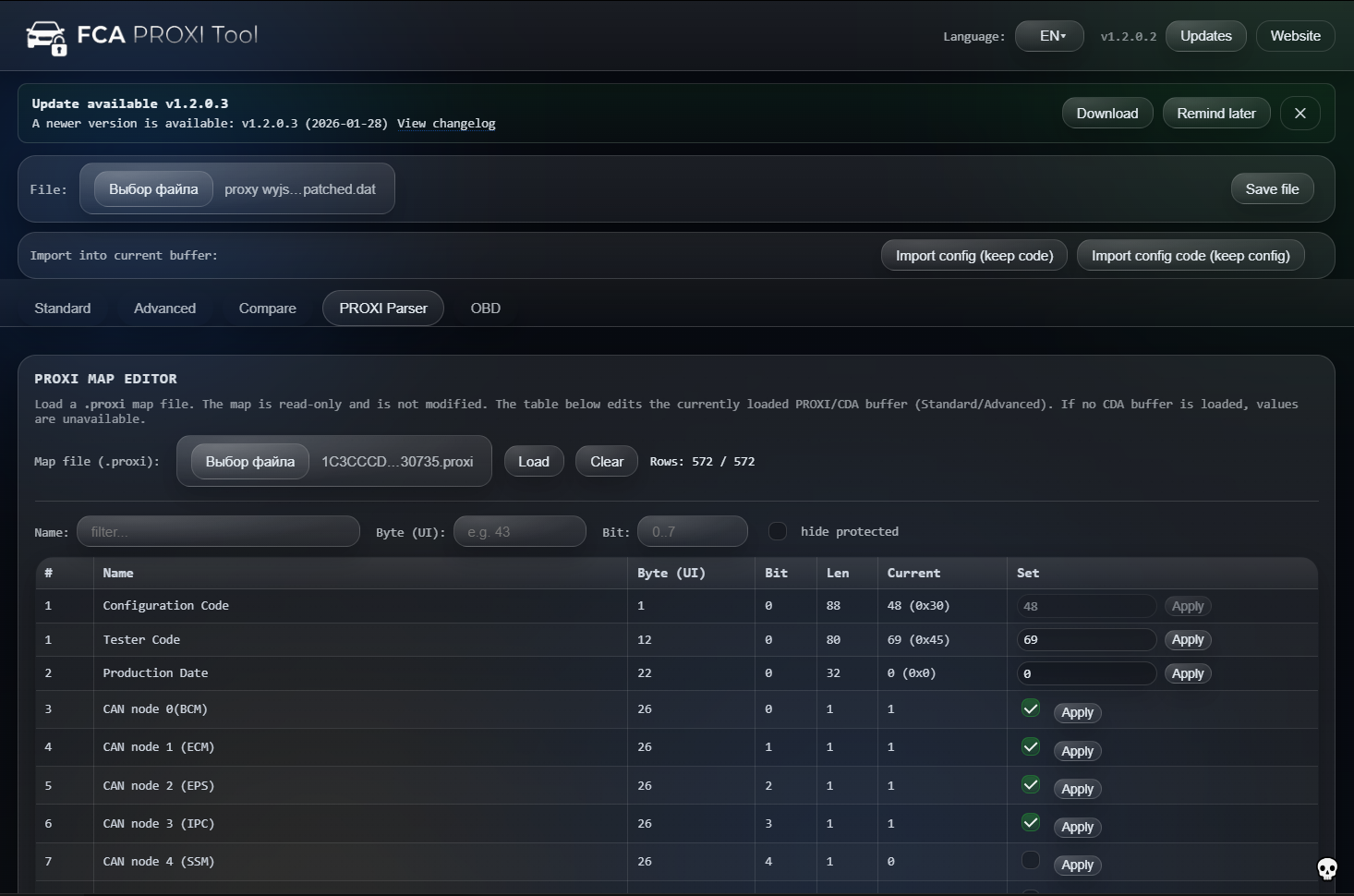
PROXI Map Editor (read-only map, edits active buffer)

Load a .proxi map file as a parameter map (read-only). The editor applies changes to the PROXI/CDA buffer currently loaded in the tool. Perfect for fast, structured editing across hundreds of parameters.

.proxi map loader Table editing Workshop speed
Experience

Built for technicians, not for demos

The interface is streamlined for daily workshop use: clear structure, fast interaction and no distractions. Common tasks stay simple, while advanced work remains fully accessible when needed.

Daily-use ready Clear UI

How it fits into your workflow

FCA PROXI Tool is not a replacement for your diagnostic suite. It is a focused configuration editor that integrates into your existing process and gives you full control over the PROXI file itself.

1. Read the original PROXI

Use your preferred diagnostic software to read the PROXI configuration from the vehicle and export it as a file.

2. Edit with FCA PROXI Tool

Open the file in FCA PROXI Tool. Adjust logical parameters in Standard Mode, or perform more detailed work in Advanced or Compare Mode depending on the task.

3. Save a consistent configuration

The tool produces a clean, internally consistent configuration file that reflects your changes and is ready to be written back.

4. Write back with your diagnostic tool

Use your usual diagnostic environment to write the prepared file to the vehicle. No additional PROXI alignment procedure is required for the file produced by FCA PROXI Tool.

PROXI Alignment, EU Conversion and PROXI Configuration Editing

FCA PROXI Tool is built for real workshop workflows: load PROXI/CDA data, change configuration parameters, and keep the file consistent with CRC recalculation. It’s commonly used for EU conversion and configuration work on Jeep / Chrysler / Dodge / Fiat / Maserati.


PROXI

Edit PROXI configuration safely

Quickly modify available options in a clear interface, including advanced bit-level tools for specialists. You stay in control of what changes and why.

PROXI config Advanced tools Repeatable edits

EU Conversion

EU conversion scenarios

Popular conversions include lighting options, market settings and feature toggles that depend on platform. The tool helps you apply changes consistently and keep saved data clean.

Jeep Chrysler Dodge Fiat Maserati

Workshops

Designed for daily use

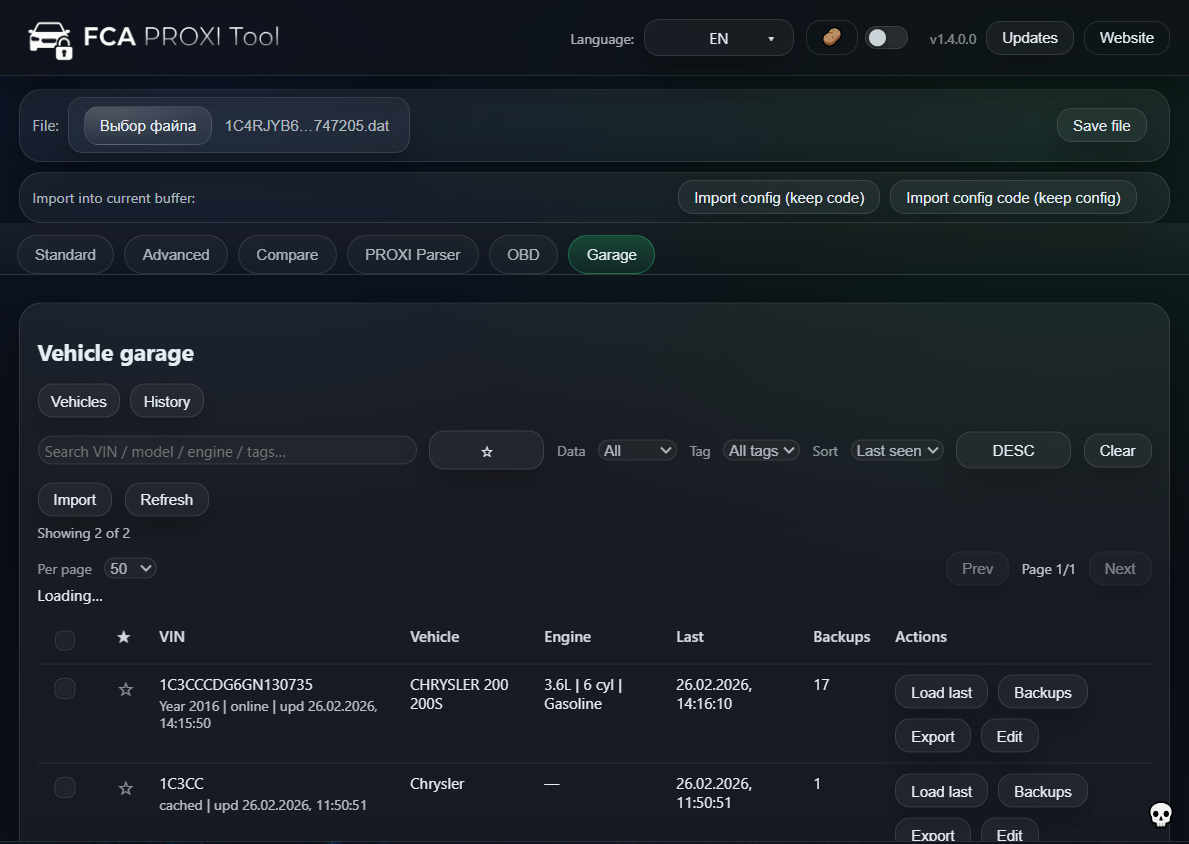
Fast loading, predictable saves, and clear versioning. Updates are published on the official site and can be downloaded directly.

Fast workflow Stable builds Support via WhatsApp
Trademark notice: Jeep®, Chrysler®, Dodge®, Fiat®, Maserati® and FCA® are trademarks of their respective owners. This product is independent and not affiliated with or endorsed by the manufacturers.

FAQ

Short answers to the questions people actually ask before buying.

Is this a PROXI alignment editor or a diagnostic program?
FCA PROXI Tool is primarily a PROXI configuration editor. It now also includes Direct Connect for reading/writing supported configuration data via ELM327 or J2534 PassThru. It still does not replace OEM diagnostics for guided procedures, calibrations or programming.
Can the tool connect to the vehicle directly (ELM327 / J2534)?
Yes. The built-in Direct Connect module lets you read/write supported configuration buffers from inside FCA PROXI Tool using an ELM327-compatible adapter or J2534 PassThru. Compatibility depends on vehicle/platform, network (HS/MS/FD), security gateway, and adapter quality.
Can it help with EU conversion changes?
Yes. Many EU conversion tasks are configuration changes. The tool makes it easier to apply those edits and save corrected data.
Which vehicles are targeted?
The tool is designed around Jeep, Chrysler, Dodge, Fiat and Maserati PROXI workflows. Coverage depends on platform and model year.
How do updates work?
New builds are published on the official website. You can always download the latest version from the Download section.
How do I get a license?
Contact via WhatsApp/Telegram: +380 93 440 2002. You’ll receive instructions and activation details.
Do I need to perform PROXI alignment?
No. FCA PROXI Tool prepares a configuration file that is internally consistent, so a separate PROXI alignment step is not required once the file is written back (via Direct Connect or your diagnostic equipment).
Which platforms are supported?
The tool supports FCA platforms that use PROXI configuration, including WL, KL and related architectures. Florence architecture (Maserati M139, M145, Alfa Romeo 8C) is not supported.
Does it work offline?
No. FCA PROXI Tool does not operate fully offline. An internet connection is required for server access, online authorization, and cloud-based CRC/checksum calculations. Without an active connection, protected features and validation steps may be unavailable or blocked.
Which interface languages are available?
The tool includes multiple interface languages to support international workshops. Refer to the documentation or release notes for the current language list.

Download FCA PROXI Tool

Build: Latest build (auto-updated)

Get the latest build and bring professional-grade configuration control into your workshop. For licensing and pricing information, please contact the author directly.

FCA PROXI Tool is intended for professional use only. Make sure you understand the PROXI structure and your diagnostic equipment before applying configuration changes to a vehicle.

Latest build: FCA_PROXI_Tool_Latest.zip
⬇ Download latest version Contact for license

Changelog

Latest updates and improvements.

Latest build (auto-updated)
Full changelog loads dynamically
cloud CRC authorization fast parameters
  • HIGHLIGHT Online authorization + cloud-based CRC/checksum engine
  • HIGHLIGHT Fast Parameters database updates
  • HIGHLIGHT Stability and workflow improvements